Diagnostic viewing built for
how radiologists work.
AdvaView delivers a modern diagnostic viewing experience while keeping studies, priors, tools, and workflows connected in one place.
Browser-based and zero-footprint, it gives radiologists a consistent reading experience without client software to install or maintain.
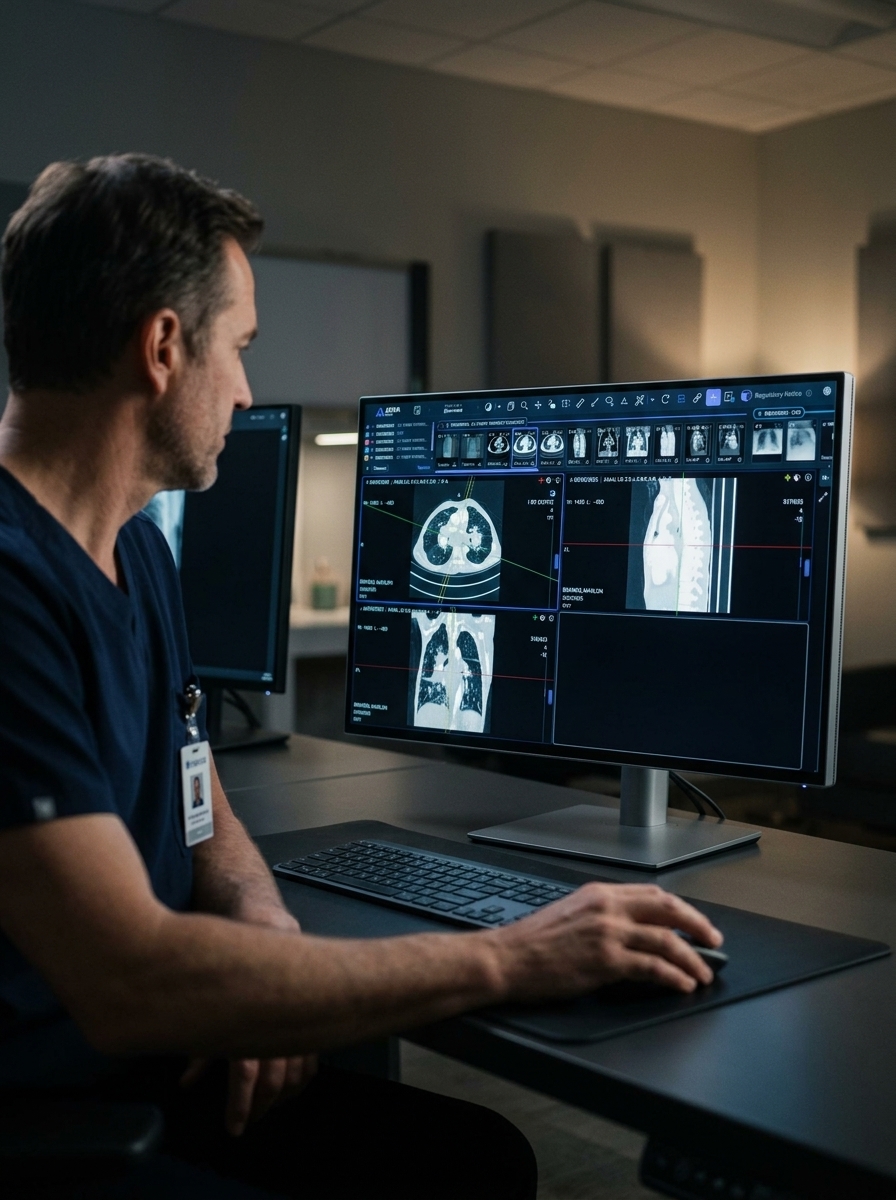
One viewer across your imaging environment
Diagnostic viewing should make reading easier, not add another layer of complexity. AdvaView brings the tools radiologists use every day into a flexible viewing environment designed for efficient reading across sites and workstations.
Zero-footprint viewing
Launch AdvaView through a supported browser without installing or maintaining workstation software. Always on the latest version.
Multi-monitor reading
Support 2, 3, and 4-monitor reading setups with flexible layouts, synchronized viewports, and seamless control across displays.
Relevant Priors
Automatically surface and rank relevant prior studies based on anatomy and modality, reducing the need to search manually through patient history.
Hanging Protocols
Automatically arrange studies and series using configurable rules for a more consistent reading experience across radiologists and sites.
Less setup. More focus on the study.
AdvaView is designed to reduce the small workflow interruptions that add up throughout a reading session.
Relevant priors are surfaced automatically. Hanging protocols prepare the layout. Current and comparison studies stay organized. Measurement and advanced visualization tools remain within the same viewing environment.
So radiologists can spend less time managing the viewer and more time reading.
Built for diagnostic reading
Remove the friction from everyday interpretation with tools designed to organize context automatically.
Flexible study navigation
Keep primary studies, priors, and additional exams organized without constantly searching through the patient record. Flexible viewport layouts support independent or synchronized zoom, pan, and slice positioning.
Relevant Priors
AdvaView uses anatomy-aware matching to automatically find and rank up to five relevant prior studies. Matching considers anatomy and modality, not simply which study is most recent, helping radiologists get more useful comparisons for the current read.
Hanging Protocols
Automatically prepare layouts based on attributes such as modality, study description, body part, study date, laterality, contrast, and orientation. Hanging protocols can also work with Relevant Priors to automatically bring comparison studies into the reading layout.
Advanced visualization within the reading workflow
Move from routine image review to advanced visualization without leaving the viewer.
Multi-planar reconstruction (MPR)
View axial, sagittal, coronal, oblique, and double-oblique reconstructions.
3D volume rendering
Interact with supported volumetric series using rotation, zoom, pan, window/level, and crosshair controls.
Projection tools
Use Composite, Maximum Intensity Projection (MIP), Minimum Intensity Projection (MinIP), and Average projections.
Multi-series MPR
Compare two or three volumetric series side by side.
Measurement tools when you need them
From everyday measurements to specialized tracing, AdvaView keeps essential tools within the same diagnostic environment.
Also includes: Spline ROI, Livewire tracing, Free-text annotation, Spine labeling, and CTR.
Measurements can be tracked, edited, exported to CSV, or captured in a DICOM Structured Report.
Designed for distributed imaging
Reading does not always happen in one room or one location. AdvaView's browser-based, stateless architecture provides a consistent viewing experience across reading rooms, home offices, satellite sites, and distributed imaging environments without maintaining separate client installations.
It can also provide another route to imaging access during business continuity and disaster recovery scenarios when normal workstation workflows are disrupted.
Connected to your imaging ecosystem
AdvaView is designed to work as part of the broader imaging environment, not as an isolated viewer. Signed, short-lived launch tokens allow studies to be opened securely from connected systems.
Within AdvaPACS, AdvaView connects diagnostic viewing seamlessly with image management, workflow, interoperability, access, and the wider imaging ecosystem.
FDA-cleared diagnostic viewing
AdvaView is FDA cleared for diagnostic use as a Class 2 medical device and CE Class IIb certified. Its design includes documented indications for use, intended users, intended patient populations, and safeguards designed for diagnostic workflows.
Note: Mammography and breast tomosynthesis are currently excluded from diagnostic use.
Modern diagnostic viewing.
Connected to the bigger workflow.
Give radiologists the tools they need for diagnostic reading while keeping viewing connected to the wider imaging ecosystem.
See AdvaView in ActionFrequently Asked Questions
What is AdvaView?
AdvaView is AdvaHealth's zero-footprint diagnostic viewer. Emerging from the Open Health Imaging Foundation (OHIF) platform, it provides browser-based diagnostic viewing with tools for study navigation, relevant priors, hanging protocols, measurements, multi-monitor reading, MPR, and 3D visualization.
Is AdvaView FDA cleared?
Yes. AdvaView is FDA cleared for diagnostic use as a Class 2 medical device and CE Class IIb certified. Mammography and breast tomosynthesis are currently excluded from diagnostic use.
Does AdvaView require software to be installed on the workstation?
No client application needs to be installed or maintained on each workstation. AdvaView runs through supported versions of Google Chrome or Microsoft Edge.
Does AdvaView support hanging protocols and priors?
Yes. Hanging protocols can automatically arrange studies based on attributes including modality, body part, laterality, and orientation. AdvaView also uses anatomy-aware matching to identify and rank relevant prior studies.
How does AdvaView work with AdvaPACS?
AdvaView is the diagnostic viewing experience within the AdvaHealth imaging ecosystem. When used with AdvaPACS, diagnostic viewing stays connected with image management, workflow, interoperability, and access rather than operating as a separate viewing environment.